
 DZ(USD)
 AO(USD)
 BJ(USD)
 BW(USD)
 BF(USD)
 BI(USD)
 CM(USD)
 CV(USD)
 CF(USD)
 TD(USD)
 KM(USD)
 CG(USD)
 CI(USD)
 DJ(USD)
 EG(USD)
 GQ(USD)
 ER(USD)
 ET(USD)
 GA(USD)
 GM(USD)
 GH(USD)
 GN(USD)
 GW(USD)
 KE(USD)
 LS(USD)
 LR(USD)
 LY(USD)
 MG(USD)
 MW(USD)
 ML(USD)
 MR(USD)
 MU(USD)
 YT(USD)
 MA(USD)
 MZ(USD)
 NA(USD)
 NE(USD)
 NG(USD)
 RE(USD)
 RW(USD)
 SN(USD)
 SC(USD)
 SL(USD)
 SO(USD)
 ZA(USD)
 SS(USD)
 SH(USD)
 SD(USD)
 SZ(USD)
 TZ(USD)
 TG(USD)
 TN(USD)
 UG(USD)
 EH(USD)
 ZM(USD)
 ZW(USD)
 AQ(USD)
 BV(USD)
 AF(USD)
 AM(USD)
 AZ(USD)
 BH(USD)
 BD(USD)
 BT(USD)
 IO(USD)
 BN(USD)
 KH(USD)
 CN(USD)
 CX(USD)
 TL(USD)
 GE(USD)
 HK(USD)
 IN(USD)
 ID(USD)
 IR(USD)
 IQ(USD)
 IL(USD)
 JP(USD)
 JO(USD)
 KZ(USD)
 KW(USD)
 KG(USD)
 LA(USD)
 LB(USD)
 MO(USD)
 MY(USD)
 MV(USD)
 MN(USD)
 MM(USD)
 NP(USD)
 KP(USD)
 OM(USD)
 PK(USD)
 PS(USD)
 PH(USD)
 QA(USD)
 SA(USD)
 SG(USD)
 KR(USD)
 LK(USD)
 SY(USD)
 TW(USD)
 TJ(USD)
 TH(USD)
 TR(USD)
 TM(USD)
 AE(USD)
 UZ(USD)
 VN(USD)
 YE(USD)
 AL(USD)
 AD(USD)
 AT(USD)
 BY(USD)
 BE(USD)
 BA(USD)
 BG(USD)
 HR(USD)
 CY(USD)
 CZ(USD)
 DK(USD)
 EE(USD)
 FO(USD)
 FI(USD)
 FR(USD)
 DE(USD)
 GI(USD)
 GR(USD)
 HU(USD)
 IS(USD)
 IE(USD)
 IT(USD)
 JE(USD)
 LV(USD)
 LI(USD)
 LT(USD)
 LU(USD)
 MT(USD)
 MC(USD)
 ME(USD)
 NL(USD)
 MK(USD)
 NO(USD)
 PL(USD)
 PT(USD)
 MD(USD)
 RO(USD)
 RU(USD)
 SM(USD)
 RS(USD)
 SK(USD)
 SI(USD)
 ES(USD)
 SE(USD)
 CH(USD)
 UA(USD)
 GB(USD)
 VA(USD)
 AI(USD)
 AG(USD)
 AW(USD)
 BS(USD)
 BB(USD)
 BZ(USD)
 BM(USD)
 CA(USD)
 KY(USD)
 CR(USD)
 CU(USD)
 DO(USD)
 SV(USD)
 GL(USD)
 GD(USD)
 GP(USD)
 GT(USD)
 HT(USD)
 HN(USD)
 JM(USD)
 MQ(USD)
 MX(USD)
 MS(USD)
 NI(USD)
 PA(USD)
 PR(USD)
 KN(USD)
 LC(USD)
 VC(USD)
 TT(USD)
 TC(USD)
 VI(USD)
 AS(USD)
 AU(USD)
 CC(USD)
 CK(USD)
 FJ(USD)
 PF(USD)
 GU(USD)
 KI(USD)
 MH(USD)
 FM(USD)
 NR(USD)
 NC(USD)
 NZ(USD)
 NU(USD)
 NF(USD)
 MP(USD)
 PW(USD)
 PG(USD)
 PN(USD)
 WS(USD)
 SB(USD)
 TK(USD)
 TO(USD)
 TV(USD)
 VU(USD)
 WF(USD)
 AR(USD)
 BO(USD)
 BR(USD)
 CL(USD)
 CO(USD)
 EC(USD)
 FK(USD)
 GF(USD)
 GY(USD)
 PY(USD)
 PE(USD)
 SR(USD)
 UY(USD)
 VE(USD)
Blog
How Does a Computer Chair With Recline Improve Ergonomics for Your Workspace
- Mar.11, 2026 10:20:32
- 0 Comments
A computer chair with recline, such as those developed by EASE COMFY TECHNOLOGY CO.,LTD, is a vital ergonomic solution for modern workspaces. Unlike traditional fixed chairs, a reclining computer chair offers dynamic support, allowing users to adjust their posture throughout the day. This adaptability not only enhances comfort but also reduces the risk of chronic pain, improves circulation, and supports the natural curvature of the spine. Key ergonomic benefits include minimized back pain, less neck and shoulder tension, and increased productivity due to reduced fatigue. EASE COMFY’s innovative designs feature multi-angle recline mechanisms, adjustable lumbar and headrest support, and customizable armrests, catering to a wide range of user preferences. Integrating such a chair into your workspace enables you to take restorative microbreaks without leaving your desk, fostering both work focus and relaxation. Proper setup and regular maintenance further extend the chair’s lifespan and benefits. User testimonials highlight significant improvements in comfort and workplace well-being. Choosing an EASE COMFY computer chair with recline is a proactive step towards a healthier, more ergonomic work environment.
Introduction to Computer Chairs With Recline: EASE COMFY TECHNOLOGY CO.,LTD Perspective
Ergonomics have become a central focus in modern workplaces. EASE COMFY TECHNOLOGY CO.,LTD (EASE COMFY) is dedicated to delivering advanced seating solutions that prioritize health and productivity. Among the innovations enhancing workspace comfort, the computer chair with recline stands out as a game-changer. In this comprehensive article, we will explore how a computer chair with recline can significantly improve ergonomics in your workspace and why EASE COMFY is the preferred brand for ergonomic seating solutions.
The Importance of Ergonomics in the Modern Workspace
Ergonomics is the science of designing workplaces to fit the user, maximizing comfort while minimizing risk of injury. Poor ergonomics can lead to discomfort, chronic pain, and decreased productivity. A computer chair with recline addresses these issues by allowing users to adjust their seating position for optimal support. EASE COMFY integrates these principles into every reclining ergonomic chair to ensure users experience the health benefits of proper posture throughout their workday.
What Makes a Computer Chair With Recline Unique?
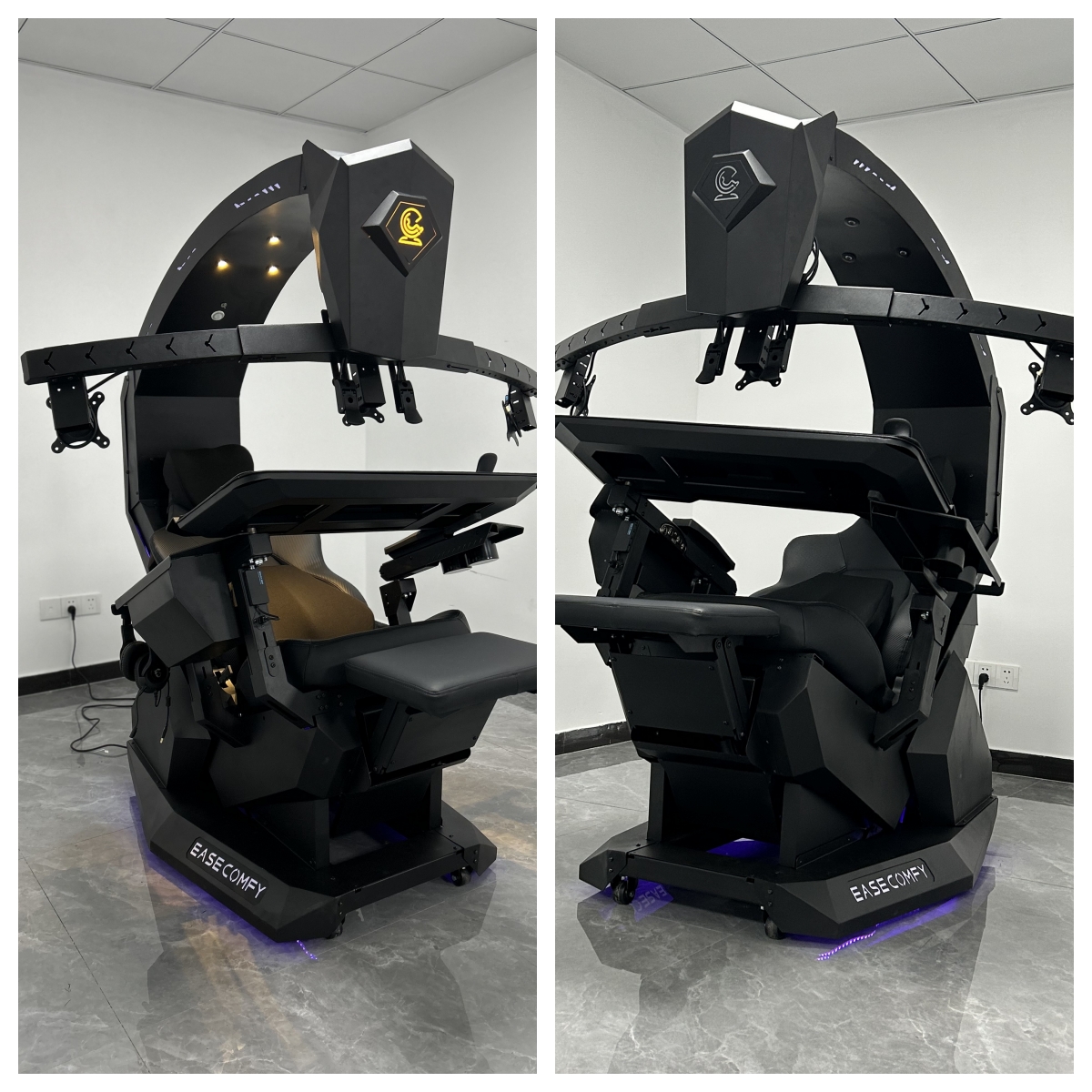
The EASE COMFY computer chair with recline function distinguishes itself with adjustable features crafted to support various body types and work habits. Unlike traditional office chairs, a reclining office chair enables you to lean back and relax during breaks or adjust your posture throughout the day. This flexibility helps reduce spinal pressure, promote circulation, and enhance focus while working.
Top Ten Ways a Computer Chair With Recline Enhances Workspace Ergonomics
- Promotes Dynamic Sitting: The EASE COMFY reclining computer chair encourages users to change positions throughout the day, preventing muscle fatigue and supporting spinal alignment.
- Reduces Back Pain: With a computer chair that reclines, lumbar support is optimized, reducing the risk of chronic back pain caused by prolonged sitting.
- Improves Blood Circulation: Reclining slightly in your EASE COMFY ergonomic computer chair with recline relieves pressure on your lower body, boosting blood flow and decreasing leg fatigue.
- Supports Natural Spine Curvature: Our computer chairs with adjustable recline are designed to follow the natural curvature of your spine, enhancing comfort during extended work periods.
- Reduces Neck and Shoulder Tension: By allowing the upper body to relax, the workstation chair with recline lessens the tension that builds up in the neck and shoulders.
- Facilitates Microbreaks: The EASE COMFY mesh computer chair with recline enables users to take brief, restorative breaks without leaving their workspace.
- Customizable Comfort: Adjustable features such as seat height, tilt tension, and lumbar support make the executive office chair with recline suitable for every user.
- Prevents Slouching: Well-designed computer chairs with high back and recline reinforce good posture habits, discouraging slouching that leads to discomfort.
- Work and Relaxation Integration: You can switch between focused work and relaxation modes with an EASE COMFY ergonomic reclining computer chair.
- Increases Overall Productivity: Enhanced comfort and reduced fatigue translate into improved focus and output, making the best computer chair with recline an investment in workplace efficiency.
Key Features of EASE COMFY Computer Chair With Recline
- Multi-angle Recline Mechanism
- Adjustable Lumbar and Headrest Support
- High-density Breathable Foam Cushion
- Mesh or Leather Upholstery Options
- Multi-directional Armrests
- Heavy-duty Base With Smooth Casters
- Integrated Footrest (select models)
- Ergonomic Curvature for Natural Spinal Alignment
- Easy-to-use Controls for Seamless Adjustment
- Sturdy, Durable Construction
How Recline Mechanisms in Computer Chairs Work
The recline mechanism in an EASE COMFY computer chair with recline typically involves a synchronized tilt system. This system allows the seat and backrest to move together, maintaining hip and lumbar support at all angles. Users can lock the chair in their preferred position, or enjoy free tilt for dynamic movement. Our advanced reclining office chair designs are engineered for smooth operation and long-term durability.
Comparing Fixed vs. Reclining Computer Chairs
| Feature | Fixed Chair | EASE COMFY Reclining Chair |
|---|---|---|
| Back Support | Static | Adjustable, dynamic |
| Comfort Level | Moderate | Customizable, High |
| Posture Support | Limited | Full ergonomic support |
| Long-term Use | Fatigue, discomfort | Reduced fatigue, enhanced focus |
| Movement | Restricted | Dynamic, allows microbreaks |
Adjustable Features: Customizing Your Ergonomic Experience
EASE COMFY’s computer chair with adjustable recline offers a range of customizable options. The seat height can be adjusted for optimal knee placement, armrests can be moved to fit your desk setup, and lumbar support can be fine-tuned for your back’s unique curvature. These features work together to create a truly ergonomic workspace environment.
Long-term Health Benefits of a Computer Chair With Recline
Using an EASE COMFY reclining ergonomic chair not only improves immediate comfort but also helps prevent musculoskeletal disorders over time. Chronic neck, back, and wrist pain are common in offices with poor seating. Our ergonomic reclining computer chair solutions minimize these risks, supporting a healthier, more productive workforce.
Choosing the Right EASE COMFY Computer Chair With Recline for Your Workspace
When selecting a chair, consider your daily routine, body type, and workspace layout. EASE COMFY offers a variety of models, from mesh computer chair with recline for breathability to executive office chair with recline for added luxury and style. Whether you require a high-back chair for executive settings or a compact model for small workstations, EASE COMFY has an option designed to suit your needs.
User Testimonials: Real Benefits of EASE COMFY Reclining Computer Chairs
- John D., Designer: “Switching to an EASE COMFY computer chair with recline reduced my lower back pain and improved my focus.”
- Sandra L., IT Manager: “The adjustable features make it easy to personalize the chair, and reclining to relax during breaks is a real game-changer.”
- Priya R., Freelancer: “I love the breathable mesh and the lumbar support. The ergonomic computer chair with recline keeps me comfortable during long work hours.”
Integrating a Computer Chair With Recline Into Your Workspace
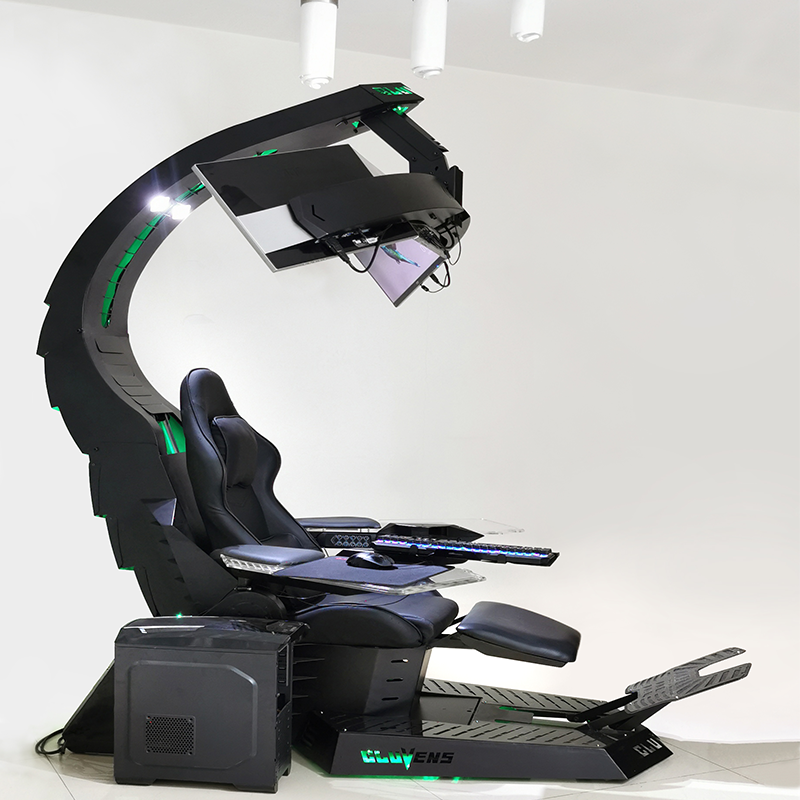
Proper setup is crucial for maximizing ergonomic benefits. Adjust your EASE COMFY reclining computer chair so that your knees are at a 90-degree angle, feet flat on the floor, and arms parallel to your work surface. Set the recline angle for comfort during breaks and upright support during focused tasks. Regularly change your posture and take microbreaks to maintain energy levels and prevent fatigue.
Maintenance Tips for Longevity
- Wipe down upholstery regularly
- Check and tighten screws every few months
- Lubricate tilt and recline mechanisms as needed
- Replace worn-out casters or parts promptly
- Follow manufacturer guidelines for cleaning and care
Conclusion: The EASE COMFY Advantage
Investing in a computer chair with recline from EASE COMFY TECHNOLOGY CO.,LTD is an investment in your health, comfort, and productivity. Our range of ergonomic seating solutions combines innovative design with premium materials and user-centric features. Make the smart choice for your workspace—choose EASE COMFY for a more ergonomic, comfortable, and productive work environment.
Tags:Unicorn Chair cockpit,scorpion king cockpit,R1 Pro Computer Workstation Cockpit,chair computer workstation price
Post Comment
Your email address will not be published.Required fields are marked. *